Design a signature. Add a campaign. Understand the clicks.
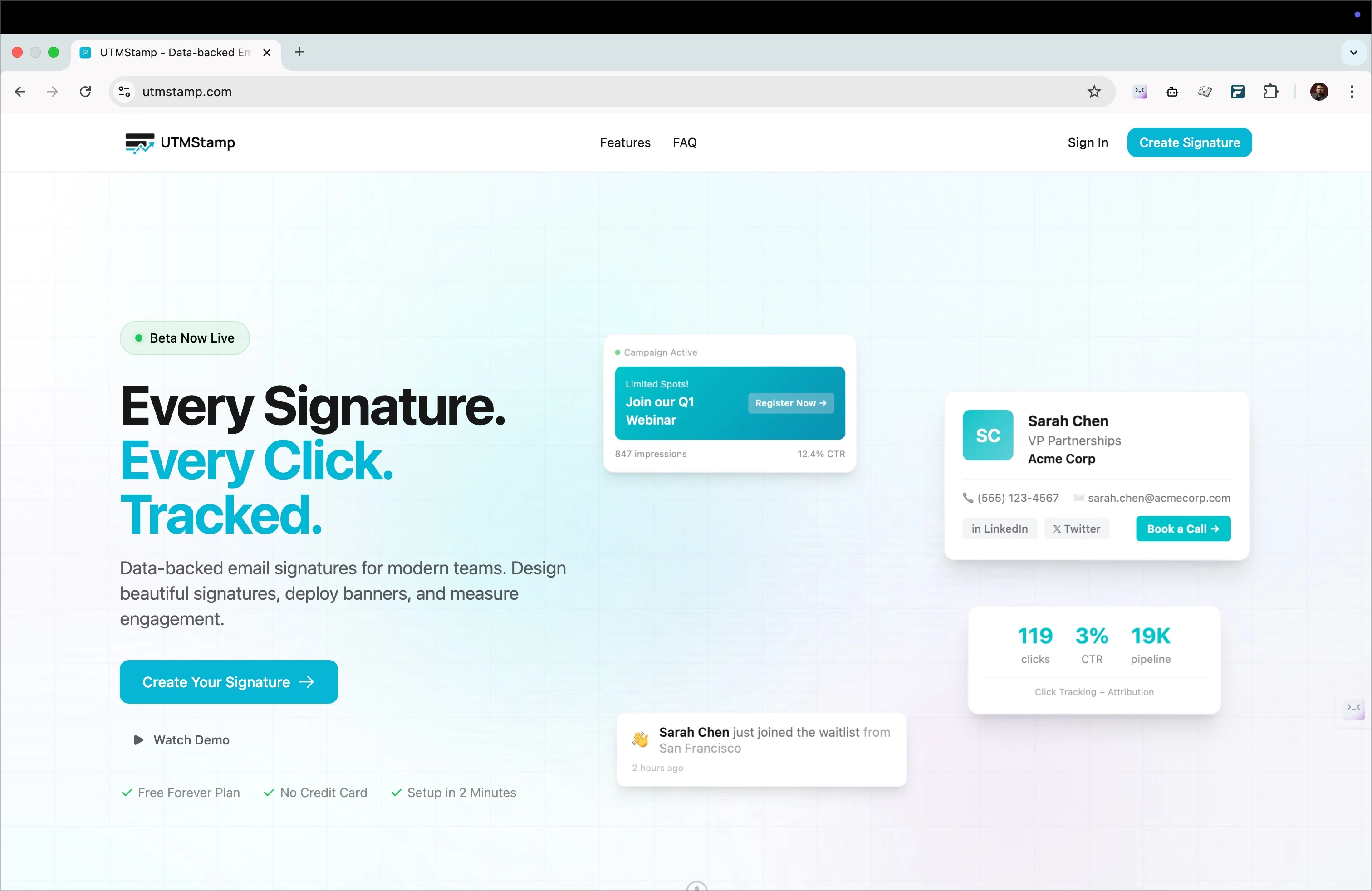
A product for creating email signatures, adding campaign banners and tracking links across a team. Aman built and launched UTMStamp independently. This case study explains the product workflow and the design choices visible in the interface.
Product screenshots document the interface at the time of capture. They are not evidence of customer adoption, revenue or measured performance.
THE WORKFLOW
From an editable signature to a working link.
Create the signature.
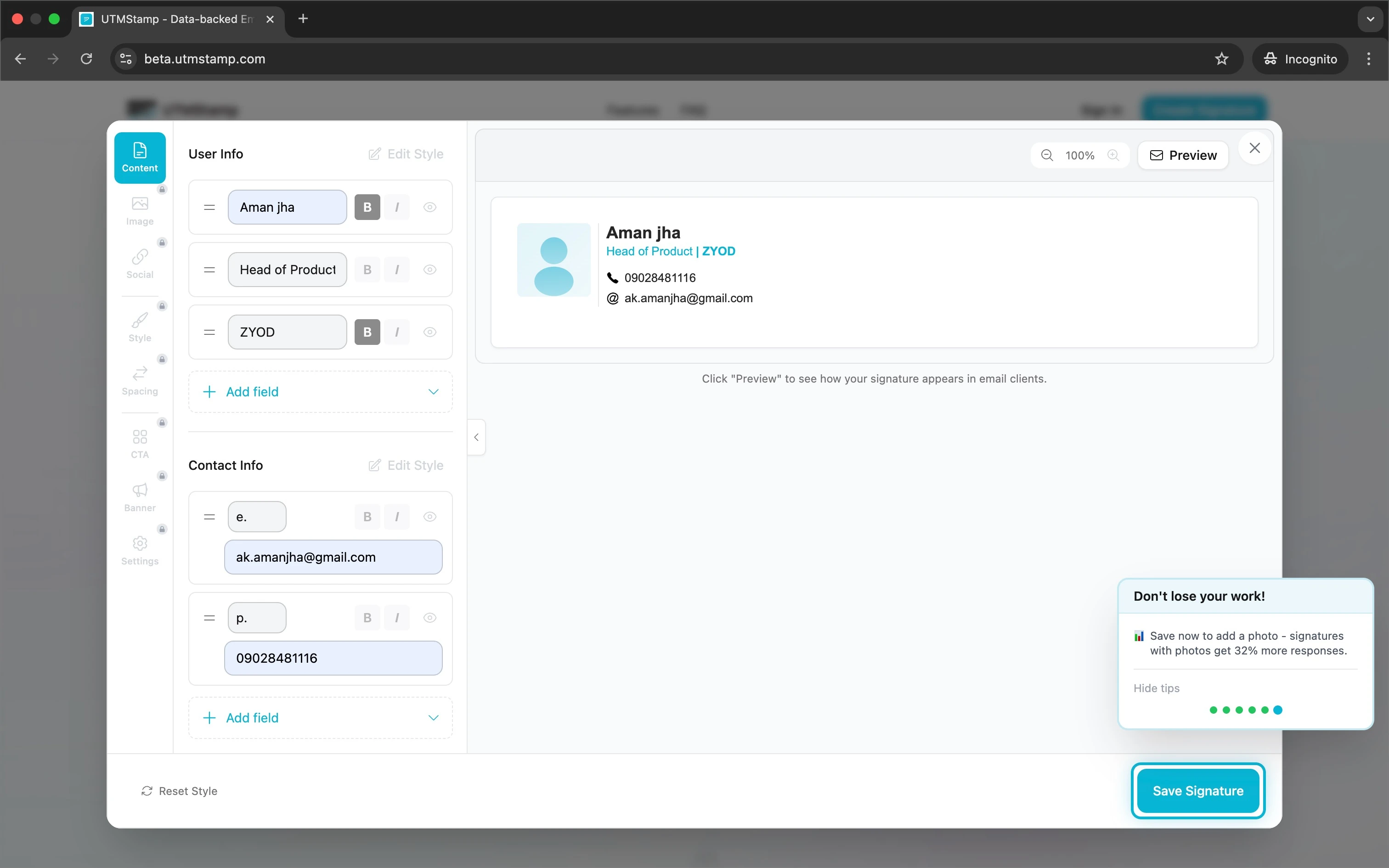
Enter the contact details and choose a layout. Review the visible output alongside the fields before saving.
Add a campaign destination.
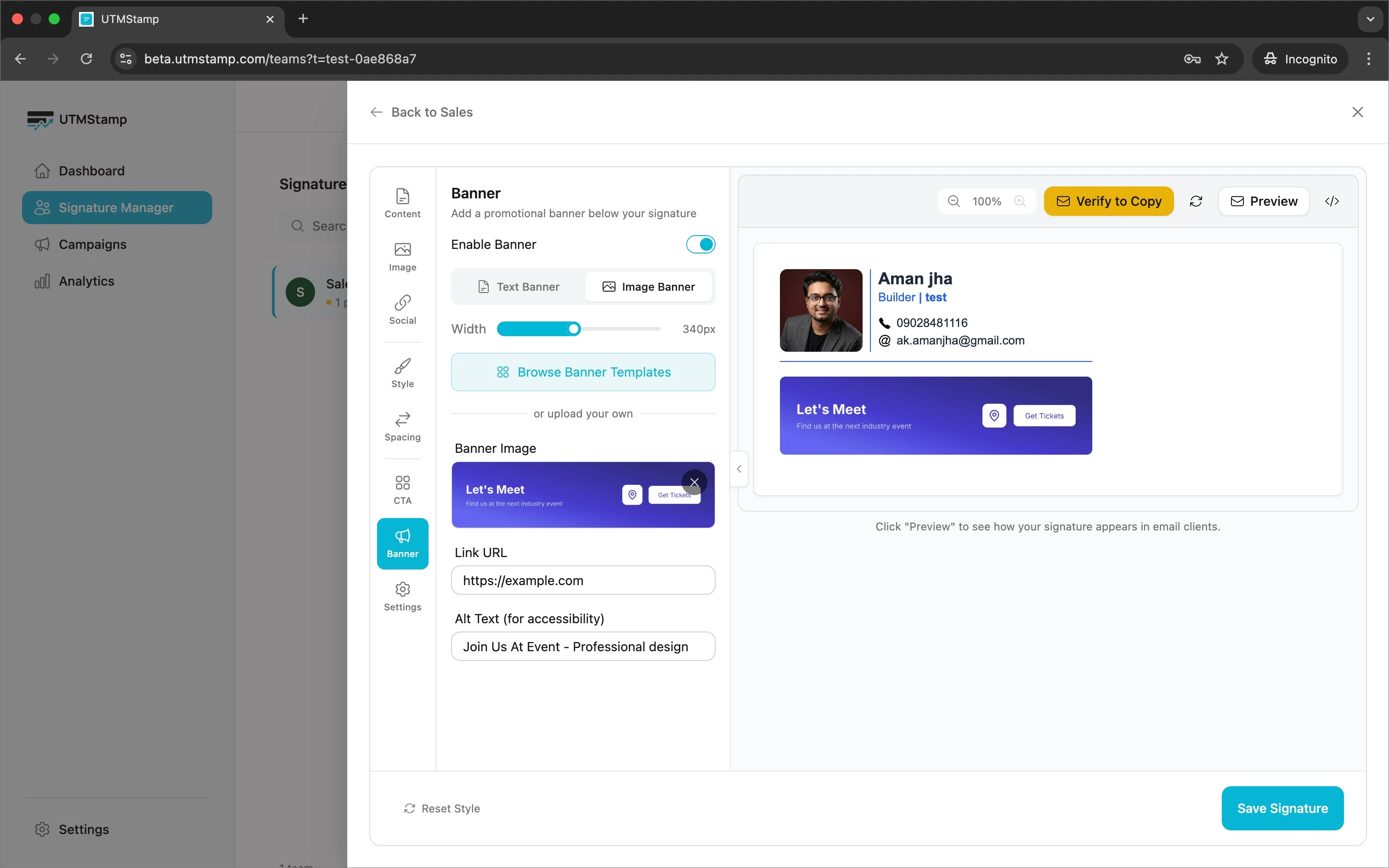
Choose a banner and set the link a recipient should reach. Review the message and destination as one decision.
Prepare it for the team.
Use the team signature settings to maintain a shared design with individual contact details. Test the exported signature in the intended email clients before wider use.
Review recorded clicks.
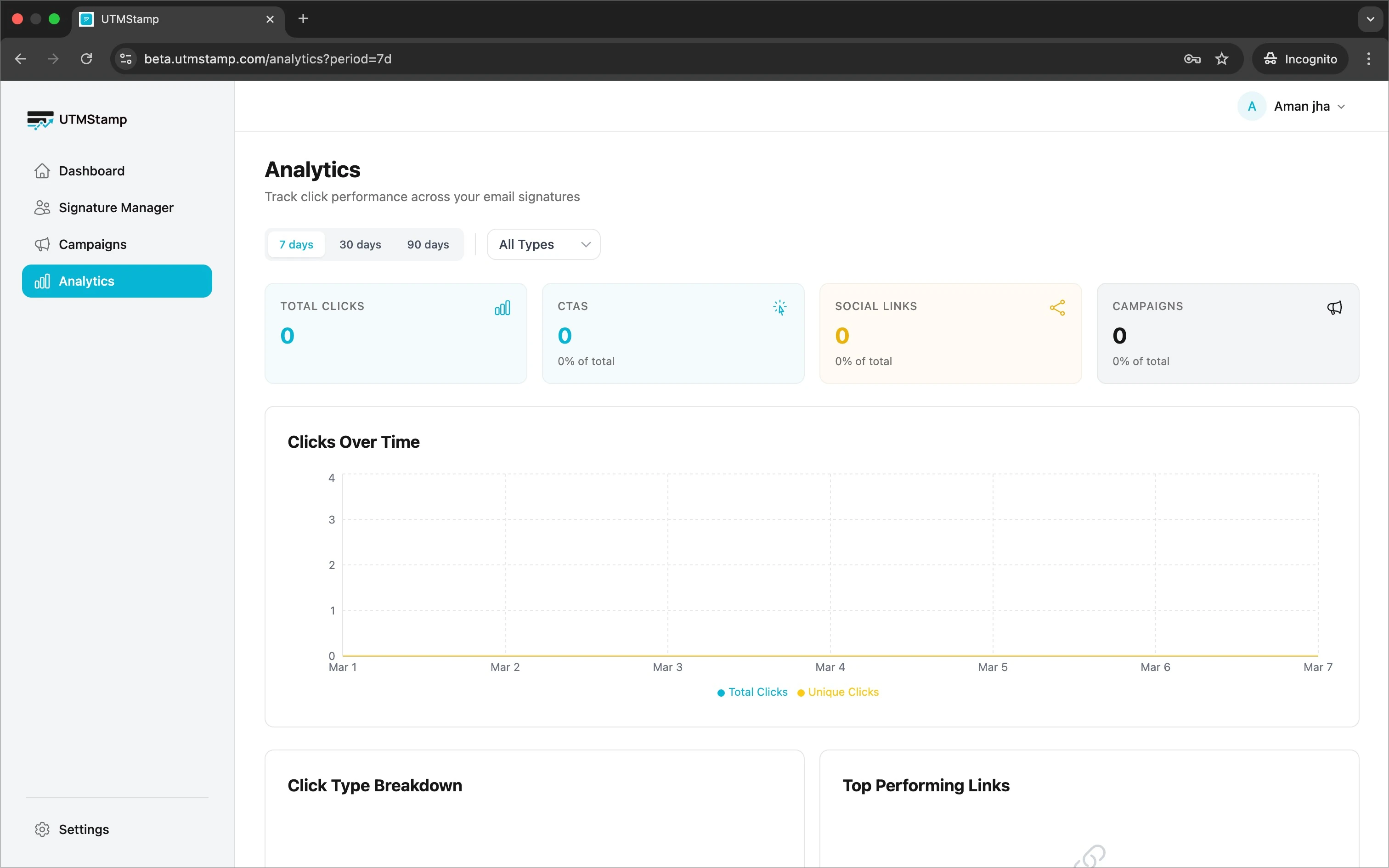
Follow a test link through its redirect and inspect the destination parameters. Use reporting to examine interactions, while keeping click counts separate from business outcomes.
DESIGN DECISIONS
Make each step inspectable.
01
Edit the content beside its preview.
The signature editor separates editable contact fields from the rendered result. A person can change a name, role or link and inspect the result in the same workspace. The design makes the output visible before saving. An editor preview still needs checking in the email clients a team actually uses.
Original product interface. Displayed records and figures should not be read as verified customer results.
02
Start a campaign from a template.
Campaign banners begin with a layout that can be adapted with a message and destination link. This reduces the decisions needed to make a first banner. The tradeoff is a constrained layout: unusual brand requirements may need a different template or further design work.
Original product interface. Displayed records and figures should not be read as verified customer results.
03
Keep tracking separate from the signature layout.
The product code creates redirect links and adds campaign parameters to their destinations. Click recording and the destination redirect are separate concerns from drawing the signature. A click is an interaction with a link; it does not establish a sale, a qualified lead or incremental revenue.
Original product interface. Displayed records and figures should not be read as verified customer results.
What this work demonstrates.
The examples show how editing, previewing, campaign configuration and measurement fit into one product. The available implementation includes team access checks, signature validation, HTML rendering and tracking redirects. These are implementation capabilities, not proof that every email client renders identically or that a campaign produces revenue.
The main design tradeoff is between flexibility and consistency. More layout choices create more combinations to test. A constrained starting point helps a team review the message, contact details and destination before distributing signatures.
For a practical way to review an early interface, use the MVP design checklist. For a new build, the specification guide shows how to turn a workflow into testable scope.
Planning a product of your own?
See how we can help you decide what to build, design the experience and develop your product.