
Your AI-Built App Isn’t Production Ready: The 15-Point Checklist
You built something with Cursor, Lovable, Bolt, or Replit. It works. It looks good. You’re excited.
And it’s probably not safe to put in front of real users.
I’ve audited AI-built codebases from dozens of founders over the past year. The pattern is consistent: AI tools generate impressive-looking apps that have the same 10-15 production gaps every time. Not because the tools are bad — they’re extraordinary at building. They’re just not designed to think about what happens after the demo.
This checklist covers the 15 things you need to fix before charging money, collecting user data, or sharing a link beyond your friends. I’ve ordered them by severity — start at #1 and work down.
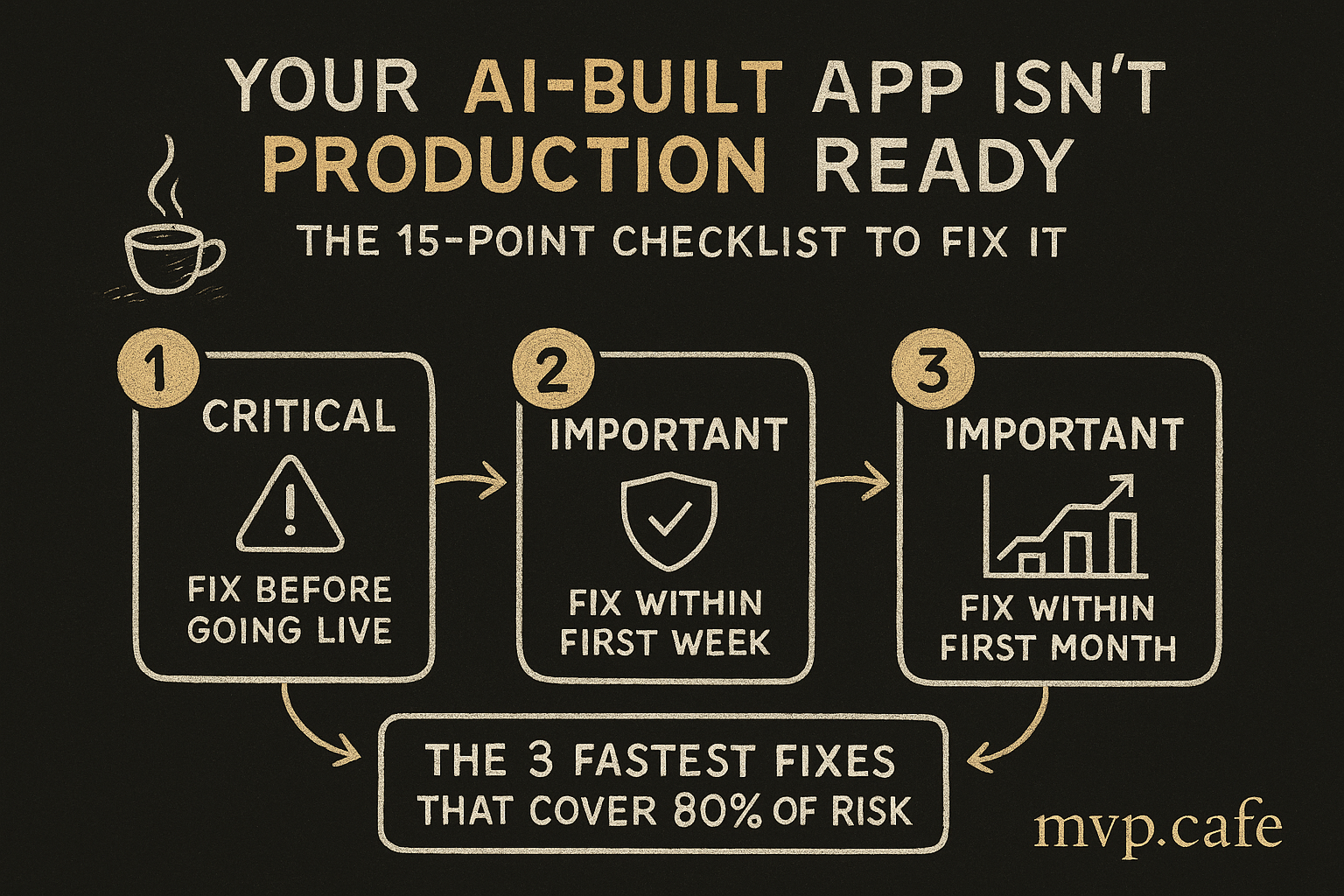
🔴 Critical (Fix Before Going Live)
1. Authentication — Is It Actually Secure?
What AI tools generate: Basic auth that works in happy-path testing. Login, signup, maybe social auth.
What they skip:
- Session management (tokens don’t expire, or expire inconsistently)
- Password reset flows that leak information (“this email doesn’t exist” vs “email sent” — the difference leaks your user list)
- Rate limiting on login attempts (bots can brute-force your auth endpoint)
- Account enumeration protection
How to check:
□ Tokens expire after a reasonable time (1-24 hours)
□ Password reset doesn't reveal whether email exists
□ Login has rate limiting (max 10 attempts per minute per IP)
□ Social auth properly links/unlinks accounts
□ Logout actually invalidates the session (not just client-side)
Quick fix: If you’re using Supabase Auth or Clerk, most of this is handled. If you rolled custom auth with AI — stop. Switch to a managed auth provider immediately. This is the single highest-risk area in AI-built apps.
2. Environment Variables — Are Your API Keys Exposed?
What AI tools do: Put API keys, database URLs, and secrets in .env files. Sometimes they also hardcode them in the source code. Sometimes both.
What they skip:
- Ensuring
.envis in.gitignore(it often isn’t) - Separating client-side vs server-side variables
- Using different keys for dev vs production
How to check:
□ .env is in .gitignore (check: git log --all -- .env)
□ No API keys in source code (grep -r "sk_" "api_key" "secret")
□ Client-side code only has NEXT_PUBLIC_ or VITE_ prefixed vars
□ Server-side secrets are NOT accessible from the browser
□ Production uses different API keys than development
Real-world horror story: In one audit, I found a founder’s Stripe secret key committed to a public GitHub repo. Anyone could have processed charges on their account. The AI generated it, the founder pushed it, and nobody noticed for 3 weeks.
3. Database — Row Level Security and Data Isolation
What AI tools generate: Supabase tables with basic schemas. Queries that fetch data.
What they skip:
- Row Level Security (RLS) policies — meaning ANY authenticated user can read/write ANY other user’s data
- Proper indexing (fine at 10 users, catastrophic at 10,000)
- Data validation at the database level (relying only on frontend validation)
How to check:
□ RLS is enabled on ALL tables with user data
□ Policies restrict reads/writes to the authenticated user's own data
□ Try: log in as User A, manually request User B's data via API → should fail
□ Indexes exist on columns used in WHERE clauses
□ Foreign keys are properly set up (no orphaned data)
The test that matters: Log in as one user. Open the browser console. Try to fetch another user’s data by changing the user ID in the request. If it works, your app has a critical data leak.
4. Input Validation — Can Users Break Your App?
What AI tools generate: Forms that accept input and save it.
What they skip:
- Server-side validation (relying on client-side only, which anyone can bypass)
- SQL injection protection on custom queries
- XSS prevention (user-generated content rendered without sanitization)
- File upload validation (type, size, content)
How to check:
□ All user input is validated server-side (not just client forms)
□ Using parameterized queries or ORM (not string concatenation)
□ User-generated content is sanitized before rendering
□ File uploads are restricted by type and size
□ Error messages don't leak internal details
5. Payment Integration — Will You Lose Money?
What AI tools generate: Stripe checkout that works in test mode.
What they skip:
- Webhook signature verification (anyone can fake a “payment successful” event)
- Handling failed payments, refunds, and disputes
- Subscription lifecycle (upgrade, downgrade, cancel, dunning)
- Idempotency (duplicate webhook events don’t create duplicate orders)
- PCI compliance considerations
How to check:
□ Webhooks verify Stripe/Razorpay signature (not just parsing the body)
□ Test: send a fake webhook with curl → should be rejected
□ Failed payment handling exists (not just success path)
□ Subscription changes work in both directions
□ Receipt/invoice generation works
🟡 Important (Fix Within First Week)
6. Error Handling — What Happens When Things Break?
What AI tools generate: Try-catch blocks that log to console.

What they skip:
- User-facing error messages (users see “undefined” or a blank screen)
- Error monitoring (Sentry, LogRocket, or similar)
- Graceful degradation (one API failure shouldn’t crash the whole app)
- Retry logic for transient failures
How to check:
□ Turn off your internet and use the app → does it handle offline state?
□ Return a 500 from one API endpoint → does the rest of the app still work?
□ Error monitoring is set up and receiving events
□ Users never see "undefined", raw error messages, or stack traces
7. Deployment — Can You Ship Updates Safely?
What AI tools generate: Code that runs locally with npm run dev.
What they skip:
- CI/CD pipeline (how do you deploy changes without breaking things?)
- Environment separation (dev, staging, production)
- Rollback strategy (how do you undo a bad deploy?)
- Build optimization (production bundle size, code splitting)
How to check:
□ Deployment is automated (push to main → auto-deploy)
□ You have at least dev and production environments
□ You can roll back to the previous version in under 5 minutes
□ Production build is optimized (no dev dependencies, minified)
□ Environment variables are managed by the hosting platform (not committed)
8. Performance — Will It Survive 100 Users?
What AI tools generate: Code that works with one user making one request at a time.
What they skip:
- N+1 query problems (page load triggers 50 database queries instead of 1)
- Missing pagination (fetching 10,000 records when showing 20)
- No caching (every page load hits the database fresh)
- Unoptimized images (10MB photos loading in the feed)
How to check:
□ Open Network tab → how many API calls per page load? (>10 is a red flag)
□ Check Supabase dashboard → queries per second at baseline
□ Large lists are paginated (not loading everything at once)
□ Images are optimized (compressed, properly sized, lazy-loaded)
□ Lighthouse performance score > 70
9. Email — Do Your Transactional Emails Work?
What AI tools generate: Maybe a “send email” function. Maybe not.
What they skip:
- Transactional email service (Resend, Postmark, SendGrid)
- Email deliverability (SPF, DKIM, DMARC records)
- Email templates that don’t look broken on every client
- Unsubscribe handling (legally required in most countries)
How to check:
□ Signup confirmation email sends and arrives (check spam)
□ Password reset email works end-to-end
□ Emails come from your domain (not noreply@supabase.io)
□ DNS has SPF and DKIM records for your sending domain
□ Tested in Gmail, Outlook, and Apple Mail
10. Mobile Responsiveness — Does It Work on Phones?
What AI tools generate: Desktop-first layouts that look good on your MacBook.
What they skip:
- Actually testing on mobile devices (not just browser resize)
- Touch target sizes (buttons too small to tap)
- Mobile navigation (hamburger menus that don’t work)
- Viewport issues on specific devices (especially iOS Safari)
How to check:
□ Test on actual iPhone and Android (not just Chrome DevTools)
□ All buttons/links are at least 44×44px tap targets
□ Forms are usable on mobile (proper input types, keyboard handling)
□ No horizontal scrolling on any page
□ iOS Safari specific: no viewport zoom issues, keyboard doesn't break layout
🟢 Important for Growth (Fix Within First Month)
11. SEO Basics
□ Page titles are descriptive and unique per page
□ Meta descriptions exist for key pages
□ OG image and social meta tags work (test with Twitter Card Validator)
□ Sitemap.xml exists and is submitted to Google Search Console
□ Pages have proper heading hierarchy (H1 → H2 → H3)
□ Images have alt text
12. Analytics
□ Page view tracking (Plausible, GA4, or PostHog)
□ Key conversion events tracked (signup, payment, core action)
□ UTM parameters are captured and stored
□ You can answer: where do my users come from?
13. Legal Basics
□ Privacy policy exists and covers your actual data practices
□ Terms of service exist
□ Cookie consent if serving EU users (GDPR)
□ Data deletion process exists (even if manual for now)
14. Backup and Recovery
□ Database backups are automated (daily minimum)
□ You've tested restoring from a backup at least once
□ User-uploaded files are stored in a durable service (S3, Cloudflare R2)
□ Git history is clean and pushed to remote (your code is backed up)
15. Monitoring and Alerting
□ Uptime monitoring (free: UptimeRobot, BetterUptime)
□ Error alerting (Sentry → email/Slack when errors spike)
□ Database usage alerts (before you hit free tier limits)
□ You'll know within 5 minutes if your app goes down
The 3 Fastest Fixes That Cover 80% of Risk
If you’re overwhelmed by 15 items, start with these three. They address the most critical vulnerabilities in AI-built apps:
-
Switch to managed auth (Clerk, Supabase Auth, Auth0). Takes 2-4 hours. Eliminates the #1 risk category.
-
Enable RLS on all Supabase tables + test data isolation. Takes 1-2 hours. Without this, your app is a data breach waiting to happen.
-
Grep your codebase for exposed secrets and move them to environment variables on your hosting platform. Takes 30 minutes. Prevents the most embarrassing kind of breach.
Those 3 fixes, in a single afternoon, make your app 10x safer to put in front of real users.
When to Get Expert Help
This checklist gets you 80% of the way there. The remaining 20% depends on your specific app, architecture, and use case.
Signs you need an expert audit:
- You’re handling payments and aren’t sure your webhook implementation is correct
- Your app handles sensitive data (health, financial, personal)
- You’re about to launch to >100 users and want confidence
- You’ve been fighting the same bugs for weeks and each fix creates new ones
- You’re a non-technical founder and can’t evaluate your own codebase
Our Strategy Sprint covers all 15 items above — and the app-specific issues a generic checklist can’t catch. ₹16,000 ($197) for a week of deep audit + a prioritized roadmap.
The checklist tells you what to check. The Sprint tells you what to do about it — specific to your app, your architecture, your situation.
FAQ
My app works fine — do I really need to worry about all this? “Works” and “production-ready” are different things. Your app works because you’re the only user testing the happy path. Production means strangers using it in ways you didn’t anticipate, on devices you don’t own, with data you need to protect. The gap is real.
How long does it take to fix all 15 items? For a typical AI-built SaaS: 20-40 hours if you’re technical, 1-2 weeks if you’re learning as you go. The critical items (1-5) should take an afternoon to a full day.
Can I use AI tools to fix these issues? Partially. AI is great at generating boilerplate (RLS policies, error handling patterns, deployment configs). It’s bad at evaluating whether the implementation is correct for your specific case. Use AI for the code, but validate the logic yourself or with an expert.
I’m using a no-code tool (Bubble, Webflow). Does this apply? Partially. Items 1-5 are handled differently in no-code tools (often better, since the platform manages auth and data). Focus on items 5, 11-15 for no-code builds.
What if I find critical issues and can’t fix them myself? That’s exactly what the Strategy Sprint is for. You get a prioritized roadmap specific to your app. Some founders use the roadmap to fix things themselves. Others hire a developer with the roadmap as the spec. Either way, you stop guessing.
Next Steps
Want to know where your app stands? Take the Build Score — free, 3 minutes. It evaluates your app’s production readiness and tells you exactly where to focus.
Want a full expert audit? Book a Strategy Sprint — ₹16,000 ($197). You get all 15 items above checked, plus app-specific issues, plus a prioritized fix roadmap. One week. One deliverable. No BS.
“AI can build your app. It can’t tell you if it’s safe to launch.” — That’s what the checklist is for.