
The Solo Founder’s Guide to MVP Analytics: What to Track From Day One
Here’s a pattern I’ve seen in 45+ product builds: Founders spend 3 months building, launch, and then realize they have zero way to know if it’s working.
No analytics. No event tracking. No funnel. They’re flying a plane with no instruments, then wondering why they crashed.
The opposite is equally dangerous: I’ve watched founders spend 2 weeks setting up Mixpanel, Amplitude, Hotjar, Google Analytics, AND Plausible before they had a single user. They had beautiful dashboards measuring beautiful nothing.
Both extremes waste your most limited resource: time-to-insight. As a solo founder, you need exactly 5 numbers, set up in under an hour, checked once a day.
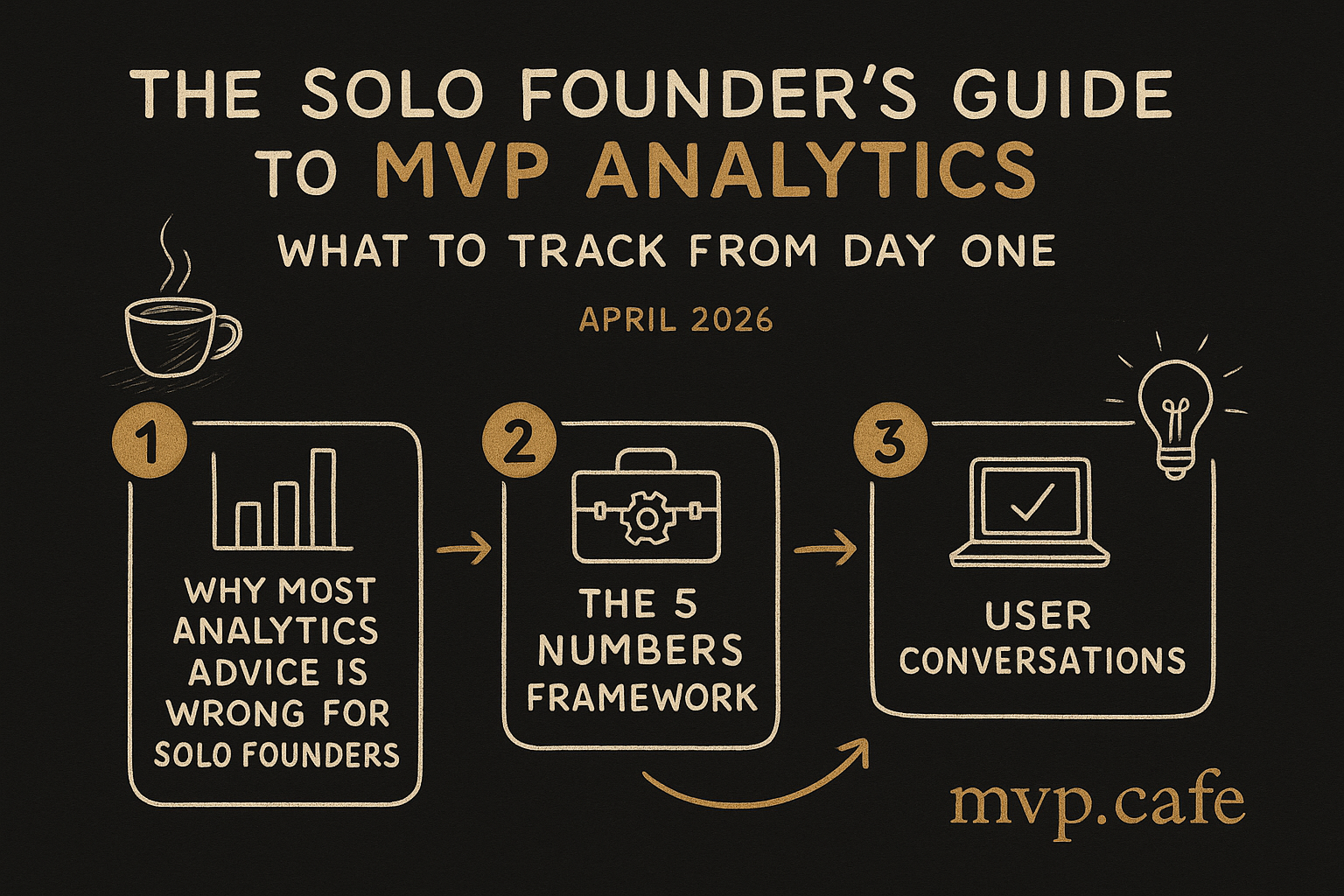
Why Most Analytics Advice Is Wrong for Solo Founders
Enterprise analytics advice — the kind you find in most blog posts — is designed for teams of 20 with a dedicated data analyst. They’ll tell you to track cohort retention curves, run A/B tests with statistical significance, build customer journey maps across 15 touchpoints.
You have one person. You. And you’re also building the product, doing support, writing marketing content, and probably questioning your life choices at 2 AM.
You need a system that:
- Takes less than 1 hour to set up
- Requires less than 10 minutes per day to check
- Tells you ONE thing: should I keep going or change direction?
Everything else is premature optimization.
The 5 Numbers Framework
After watching dozens of MVPs succeed and fail, these are the only 5 numbers that matter at the MVP stage:

Number 1: Visitors (Are People Finding You?)
What it is: Unique visitors per day/week to your product.
Why it matters: If nobody’s visiting, nothing else matters. This is your top-of-funnel health check. Zero visitors means your distribution is broken, not your product.
Target: 10-50 unique visitors/day for a fresh MVP. If you’re below 10, your problem is distribution, not product. Stop building features and start marketing.
How to track: Plausible Analytics ($9/month) or Umami (free, self-hosted). Drop one script tag into your HTML. Done in 5 minutes.
Why not Google Analytics? GA4 is overcomplicated for solo founders, requires cookie consent banners (which you have to build), and gives you 200 reports when you need 3. Plausible is privacy-friendly, lightweight (no cookie banner needed), and shows you what matters in one screen.
Check cadence: Glance daily. Analyze weekly.
Number 2: Activation (Are They Doing The Thing?)
What it is: The percentage of visitors who complete the ONE core action that defines your product.
Why it matters: Visitors who don’t activate are just traffic. Activation means someone experienced your product’s value for the first time. This is the most important conversion in your entire funnel.
How to define your activation event:
- SaaS tool: Created first [thing] (project, document, dashboard)
- Marketplace: Listed first item OR made first contact
- Content/community: Created account + completed profile
- E-commerce: Added first item to cart
- API/developer tool: Made first successful API call
Target: 20-40% activation rate is healthy. Below 10% means your onboarding is broken or your value proposition doesn’t match your traffic source.
How to track: One custom event in Plausible, or a simple database query. Here’s the Plausible version:
<!-- Fire this when user completes the core action -->
<script>
plausible('Activated', {props: {source: 'onboarding'}})
</script>
That’s it. One line of JavaScript.
Check cadence: Daily. This is your most actionable metric.
Number 3: Retention (D7) (Are They Coming Back?)
What it is: What percentage of users return within 7 days of first use.
Why it matters: Anyone can get someone to try a product once. Getting them to come back — without you emailing, reminding, or begging — means you’ve built something they actually need.
Target:
- D7 retention above 25%: You have something. Keep going.
- D7 retention 10-25%: There’s a spark, but the experience needs work.
- D7 retention below 10%: The product isn’t solving a real problem, or isn’t solving it well enough. Rethink before building more.
How to track (simple version): If you have user accounts, run this query weekly:
SELECT
  COUNT(DISTINCT CASE WHEN second_visit <= first_visit + INTERVAL '7 days' THEN user_id END) * 100.0 /
  COUNT(DISTINCT user_id) as d7_retention
FROM (
  SELECT user_id,
    MIN(created_at) as first_visit,
    (SELECT MIN(created_at) FROM events e2 WHERE e2.user_id = e1.user_id AND e2.created_at > MIN(e1.created_at)) as second_visit
  FROM events e1
  GROUP BY user_id
) cohort
WHERE first_visit >= CURRENT_DATE - INTERVAL '14 days'
Simpler version: If you don’t have a database you can query, just look at your daily active users in Plausible. If the number is growing (or at least not declining) week over week, retention is probably healthy.
Check cadence: Weekly. Retention is noisy on a daily basis.
Number 4: Revenue (or Revenue Proxy)
What it is: Actual money, or the closest measurable step to money.
Why it matters: An MVP that people use but won’t pay for is a hobby, not a business. Measuring the money signal early prevents you from spending 6 months on a product that generates dopamine (via usage metrics) but not revenue.
The hierarchy:
- Best: Actual payments received (Stripe dashboard)
- Good: Payment page views or “upgrade” button clicks
- Okay: Pricing page visits
- Minimum: Email signups (proxy for future revenue intent)
Target at MVP stage: Literally any non-zero number. Your first $1 of revenue is more important than your first 1,000 users.
How to track: Stripe dashboard for actual revenue. Plausible custom event for payment page views:
<script>
plausible('Viewed-Pricing')
</script>
Check cadence: Daily. Every dollar matters at this stage.
Number 5: Feedback Velocity
What it is: Number of direct conversations with users per week.
Why it matters: This is the metric most founders forget and the one that matters most at the MVP stage. Analytics tell you WHAT is happening. Conversations tell you WHY.
Target: Minimum 5 user conversations per week during the MVP phase. This isn’t optional — it’s the most valuable data you’ll collect.
How to track: A simple tally. Spreadsheet, Notion, or even a text file:
Week of April 14, 2026:
- Mon: Talked to @priya (marketplace founder) — auth is confusing
- Tue: Support email from raj@startup.com — can't export data
- Wed: Twitter DM from @buildervik — loves the speed, wants team features
- Thu: Calendly call with sonam — didn't understand pricing
- Fri: (none — need to schedule more)
Total: 4/5 target ❌ — need to do more outreach
Check cadence: End of each week. If you’re below 5, you’re not learning fast enough.
The One-Hour Setup
Here’s how to implement all 5 metrics in under 60 minutes:
Minutes 0-15: Plausible Analytics
- Sign up at plausible.io ($9/month, 30-day free trial)
- Add your domain
- Drop the script tag into your HTML
<head>:
<script defer data-domain="yourdomain.com" src="https://plausible.io/js/script.js"></script>- This gives you Number 1 (Visitors) immediately.
Minutes 15-30: Custom Events
Add Plausible custom events for your activation action and revenue proxy:
<!-- Activation: fires when user completes core action -->
<script>plausible('Activated')</script>

<!-- Revenue proxy: fires when user views pricing -->
<script>plausible('Viewed-Pricing')</script>

<!-- Revenue proxy: fires when user clicks buy/upgrade -->
<script>plausible('Started-Checkout')</script>
This gives you Number 2 (Activation) and Number 4 (Revenue proxy).
Minutes 30-40: Retention Check
If you have a database:
- Set a weekly calendar reminder: “Run retention query”
- Use the SQL query above, or simply check weekly active users in Plausible
If no database:
- Compare this week’s Plausible traffic pattern to last week’s
- Are the same people returning? (Check “returning visitors” in Plausible)
This gives you Number 3 (Retention).
Minutes 40-50: Feedback Tracker
Create a simple document:
## User Conversations — April 2026
### Week of April 14
- (log each conversation here)
### Week of April 21
- (log each conversation here)
This gives you Number 5 (Feedback Velocity).
Minutes 50-60: Daily Dashboard
Create a bookmark folder called “Daily Metrics” with:
- Plausible dashboard
- Stripe dashboard (or payment provider)
- Your feedback tracker
Check it every morning with your coffee. 10 minutes max.
The Daily Ritual (10 Minutes)
This is your analytics routine. Do it at the same time every day.
Step 1 (2 min): Open Plausible. Check visitors vs. yesterday. Check top sources. Anything surprising?
Step 2 (2 min): Check custom events. How many activations? How many pricing page views? Calculate activation rate mentally.
Step 3 (2 min): Check Stripe (or revenue proxy). Any new revenue? Any new trials?
Step 4 (2 min): Log any user conversations from yesterday. Update the tally.
Step 5 (2 min): Write one sentence: “Today the data says I should ______.” This forces you to actually USE the data instead of just collecting it.
That’s it. 10 minutes. You now know more about your product’s health than 90% of funded startups.
What Each Number Tells You to Do
The whole point of tracking these numbers is to know what to work on next. Here’s the decision tree:
Visitors low (<10/day)? → Stop building features. 100% of your time goes to distribution. Write content, post in communities, do outreach. Your product might be perfect — nobody’s seeing it.
Visitors okay, Activation low (<10%)? → Your onboarding is broken. Simplify the first experience. Talk to users who signed up but didn’t activate. What happened?
Activation okay, Retention low (<10% D7)? → Your product delivers initial value but not ongoing value. Either the problem isn’t recurring, or your product doesn’t go deep enough. This is the hardest problem to solve — it might mean your core idea needs adjustment.
Retention okay, Revenue zero? → You have a product people use but won’t pay for. This is usually a pricing or packaging issue, not a product issue. Experiment with pricing. Talk to your most active users about willingness to pay.
Revenue happening? 🎉 → Congratulations, you have a business. Now optimize: What channel brings the highest-converting visitors? Double down on that.
Common Mistakes
Tracking too many things
If you have more than 5-7 metrics in your daily dashboard, you have too many. Every metric you add dilutes your attention. At the MVP stage, focus beats breadth.
Tracking vanity metrics
Page views, social media followers, app downloads without activation — these feel good and mean nothing. A product with 100 visitors and 40% activation is healthier than one with 10,000 visitors and 1% activation.
Not acting on the data
The most common analytics failure: collecting data and not changing behavior. If your numbers haven’t caused you to change a decision in the last 2 weeks, you’re either not checking or not being honest with yourself.
A/B testing too early
You need ~1,000 conversions per variant for statistical significance. If you’re getting 50 visitors a day, an A/B test will take months to produce a meaningful result. Just make the change and watch the metric.
Checking too frequently
Checking analytics 5 times a day is procrastination disguised as productivity. Once per day, same time. The data doesn’t change faster than that in meaningful ways.
The Tool Stack (Solo Founder Edition)
| Purpose | Tool | Cost | Setup Time |
|---|---|---|---|
| Traffic + events | Plausible Analytics | $9/month | 15 min |
| Payments | Stripe Dashboard | Free with Stripe | Already done |
| User conversations | Markdown file or Notion | Free | 5 min |
| All-in-one (if you want) | PostHog (free tier) | Free <1M events | 30 min |
PostHog note: PostHog is free up to 1M events/month and includes analytics, session recordings, feature flags, AND A/B testing. It’s more complex to set up than Plausible, but if you want one tool that grows with you, it’s the best choice in 2026. Start with Plausible for simplicity; move to PostHog when you need session recordings or feature flags.
When to Level Up
You’ll eventually outgrow the 5 Numbers Framework. Here’s when to add more sophisticated analytics:
- >100 daily active users: Add session recordings (PostHog or Hotjar) to see WHERE users get stuck
- >500 daily active users: Add cohort analysis to understand WHICH users retain best
- >$5K MRR: Add a proper business intelligence tool (Metabase, free + self-hosted) for financial metrics
- >$20K MRR: Hire a part-time data analyst. You’ve earned it.
Until you hit these thresholds? The 5 numbers are enough. I promise.
Not Sure What to Measure?
The Build Score assessment includes a metrics readiness section — it evaluates whether your MVP is set up to learn from its users, not just serve them.
If you want help setting up your analytics and defining the right metrics for your specific product, book a Strategy Sprint. We’ll configure your measurement framework as part of the build plan.
FAQ
Q: Should I use Google Analytics 4? For solo founders, no. GA4’s learning curve is steep, it requires cookie consent banners, and 95% of its features are irrelevant at the MVP stage. Use Plausible for simplicity or PostHog for an all-in-one solution.
Q: When should I start tracking analytics? Day one. Before your first user. It’s infinitely easier to add a script tag during development than to retrofit analytics into a live product and realize you have no historical data.
Q: What about mobile app analytics? Different beast. Use PostHog (works for web + mobile), or Mixpanel’s free tier. The same 5 Numbers Framework applies, but the implementation is SDK-based instead of script-based.
Q: My activation rate is 3%. What do I do? Talk to 10 people who signed up but didn’t activate. Ask: “You signed up on [date]. What were you hoping to do? What stopped you?” The answer is always in the conversations, not the dashboard.
Q: How do I track retention without user accounts? Plausible shows returning visitors vs. new visitors. It’s not as precise as user-level retention, but it’s a reasonable proxy. If returning visitor percentage is trending up, you’re probably retaining people.