Product partnership · Aman Jha through Fortunekit–ZeoAuto
All work
ZEO BUSINESS / PRODUCT MANAGEMENT
Zeo Business. From booking to invoice.
A web and mobile platform where service businesses can schedule jobs, assign people and keep track of customers and invoices.
ROLE
Product Manager
CONTEXT
Service businesses · Web + mobile
FOCUS
Design · Development · Launch
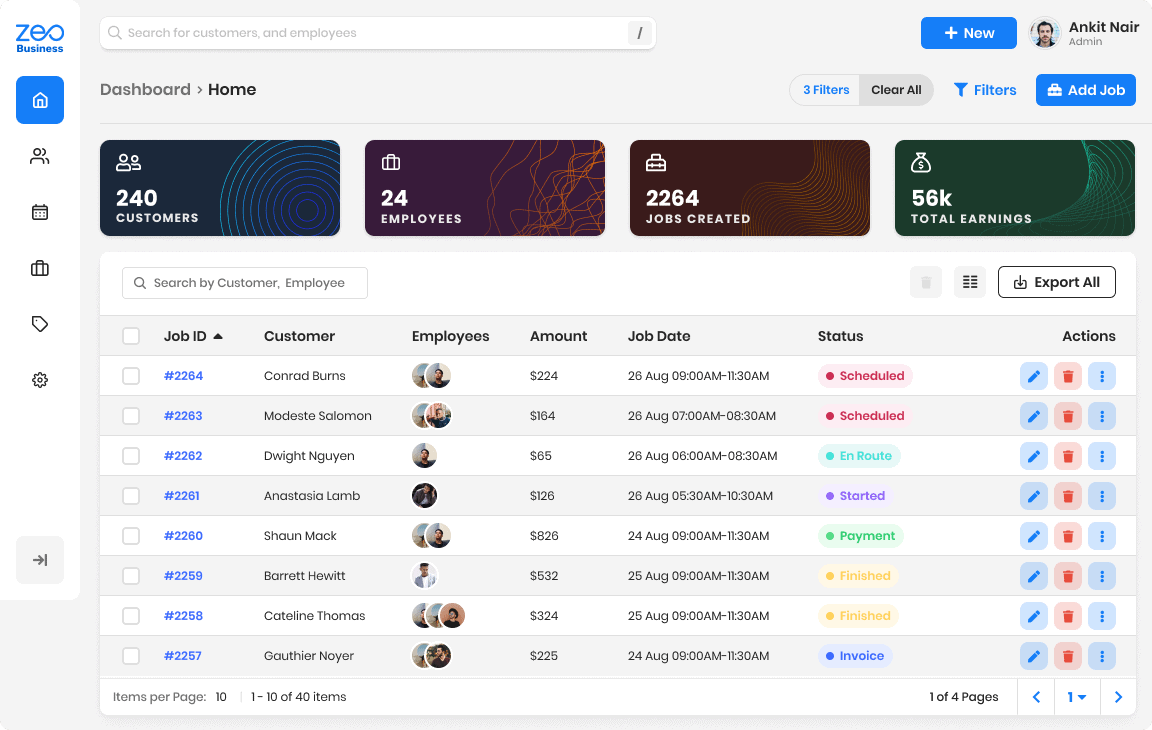
Web workspace: jobs, assigned people, dates and status. Product design shown with sample data.
Building a product around a real workflow?
Tell us who it is for and what they need to do. We’ll discuss the scope of a useful first release.
MY ROLE / PRODUCT DELIVERY
My role, from design to launch.
As Product Manager, I led the work across design, development and launch. The engagement was part of Fortunekit’s ZeoAuto partnership and supported the US launch of Zeo Business.
01
Design
Job creation, scheduling, customer context and billing flows across web and mobile.
02
Development
Managed the product through development across web, mobile and client flows.
03
Launch
My role continued through the product’s launch.
01 / THE JOB WORKFLOW
Keep the details with the job.
Each job brings together the customer, assigned team, schedule and pricing. Here’s how those parts fit together in the product.
01
Assign a team
Assign multiple employees to a job and keep the customer’s and team’s contact details close to hand.
02
Price the actual work
List services and materials with their quantities and prices. The web editor also records unit costs and applies a discount in the billing summary.
03
Follow the job through to payment
The timeline follows a job from scheduling and travel to the work itself, invoicing and payment.
Original product designs. Figures and example records are sample interface data.

The web timeline keeps the stages from scheduling through payment in view.Mobile job detail opens with the current status and next action.
02 / PRICING THE WORK
Build the bill from the work done.
Services and materials have separate line items. On web, each shows quantity, unit price and unit cost, followed by the discount and billing summary.
Line items → discount → billing summary

Web invoice editor: quantity, unit price and unit cost, with the billing summary below.Mobile summary: service and material pricing, discount and schedule.
03 / CUSTOMER CONTEXT
Pick up where you left off with a customer.
Open a customer’s record to find their contact details, addresses, notes and files alongside previous jobs, estimates and invoices. Start a new job from the same place.
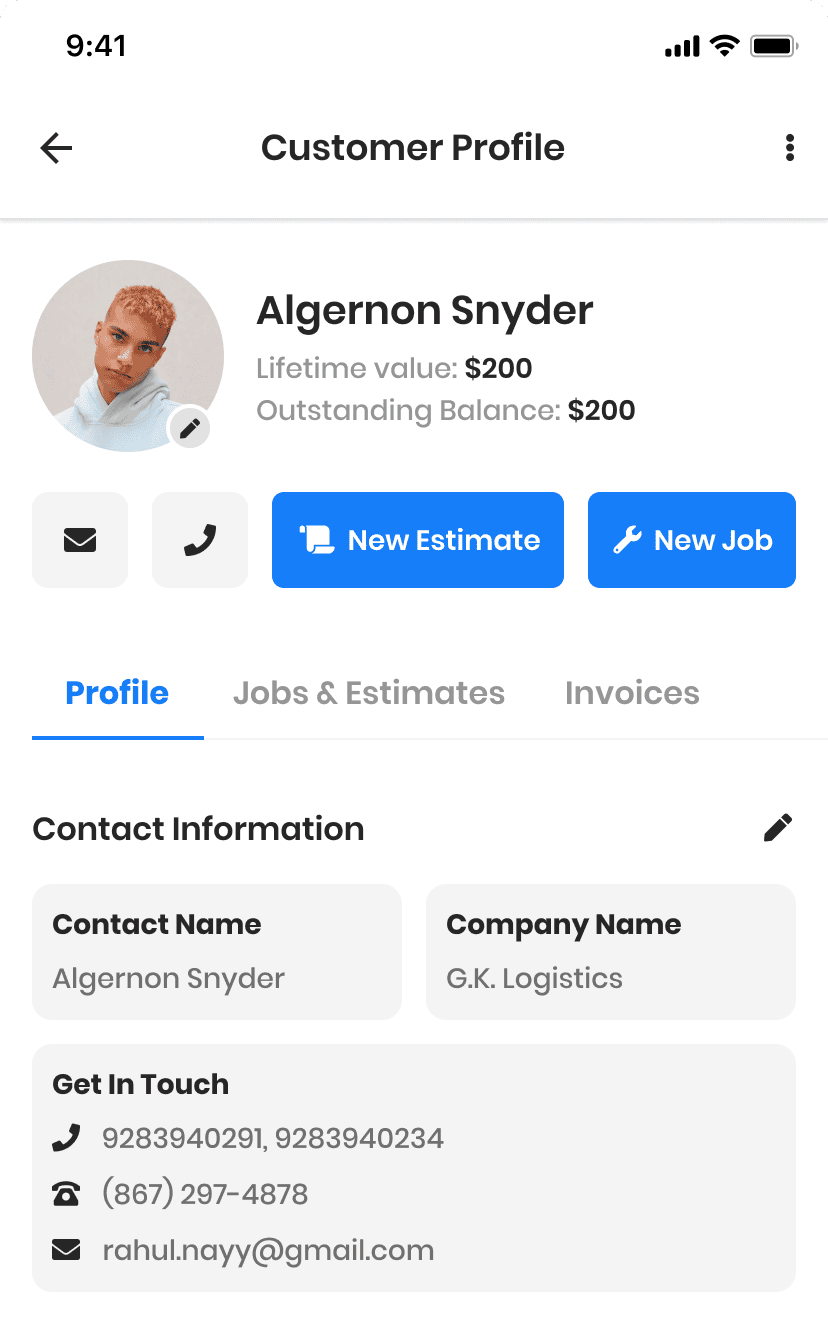
Customer context · mobile product design, cropped
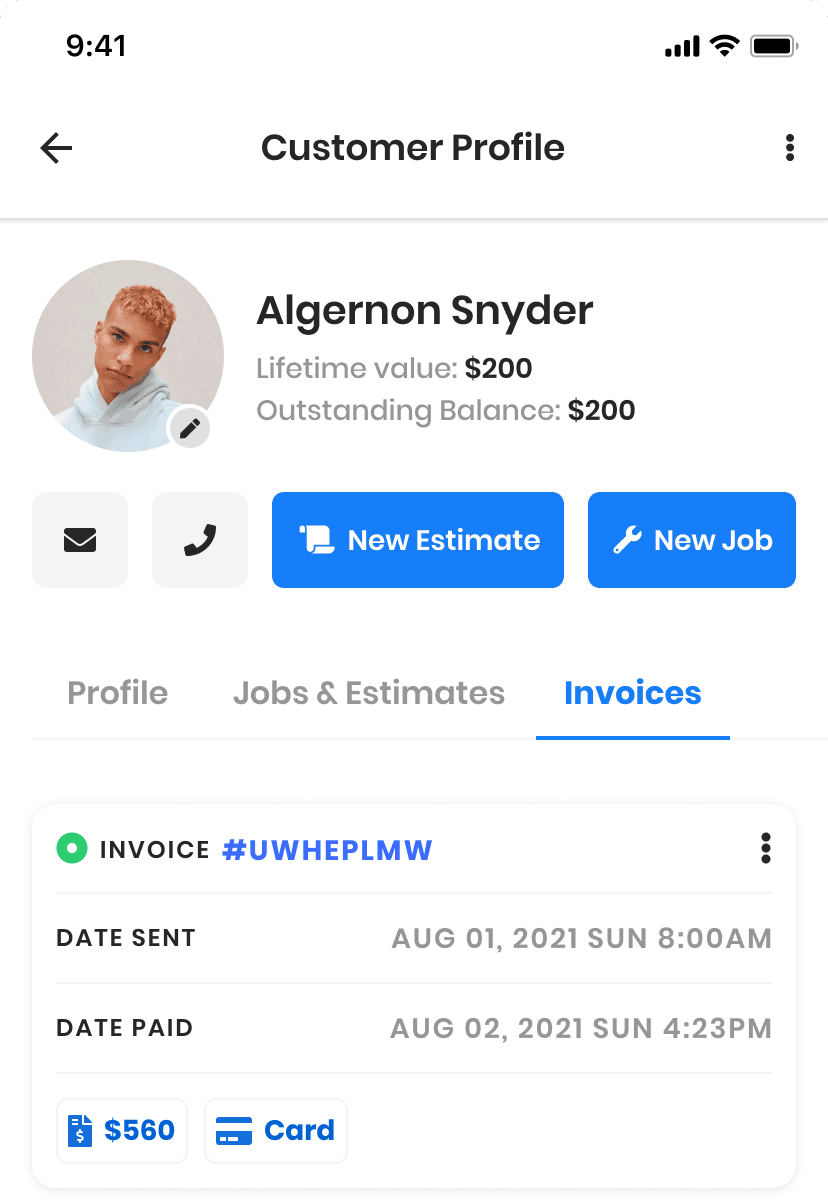
Invoice history · mobile product design, cropped
04 / THE HANDOFF
See what changed on a job.
Notes, attachments and tags stay with the job. The web activity feed shows who or what made a change, what happened and when.

Activity feed in the web job design. Example entries illustrate the intended record of activity.Notes, supporting files and job tags in the mobile design.
PRODUCT SCOPE
One product across web and mobile.
My remit covered the product across web, mobile and client flows, from design through development and launch. These examples show how the platform brought scheduling, service delivery and billing together.
See my work with ZYOD.
At ZYOD, I worked with the team on manufacturing software. Read the stories on receiving fabric, tracking production costs and checking garment quality.
Explore the ZYOD programme
What would you like to build?
Send a short enquiry. We’ll reply by email to discuss the scope before any work starts.