Founder experience · Aman Jha at ZYOD
ZYOD portfolioZYOD / FABRIC RECEIVING
Track fabric from the moment it arrives.
A mobile app for receiving fabric, checking quantities against the source document and giving each bundle a label.
ROLE
Head of Product, Tech & Design
CONTEXT
Product leadership with the ZYOD team
FOCUS
Fabric receiving · Bundles · Barcode labels
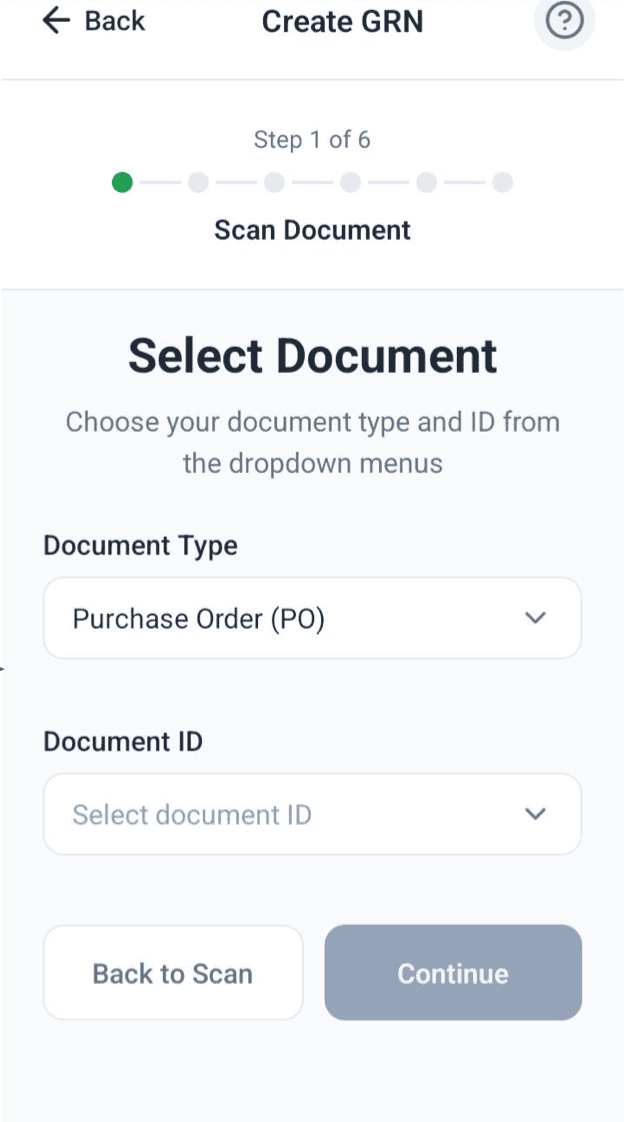
Choose a document
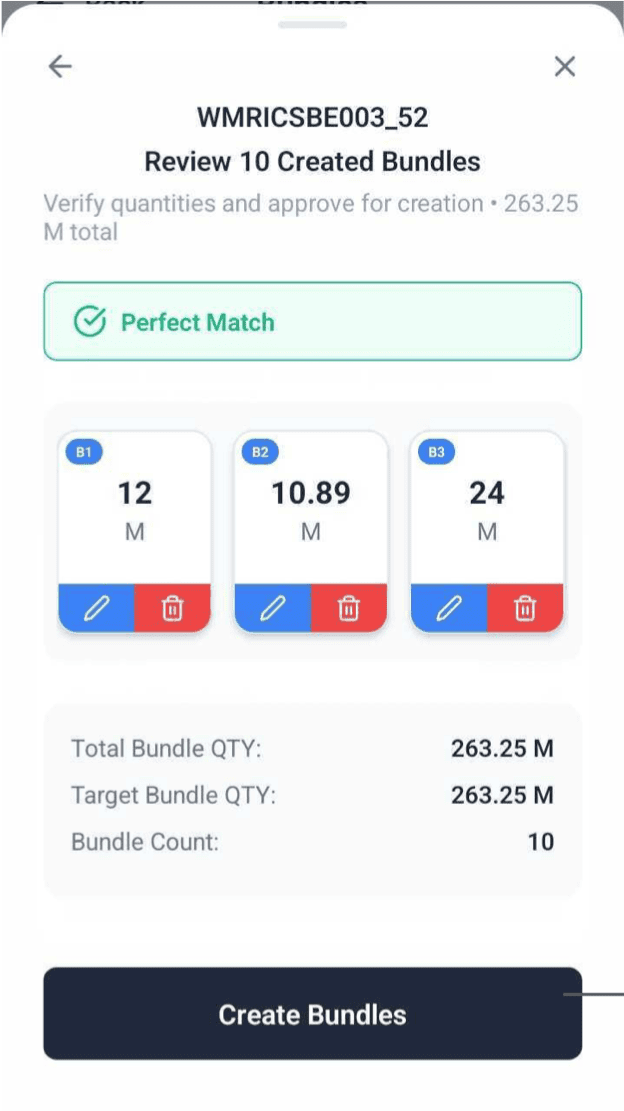
Review the bundles
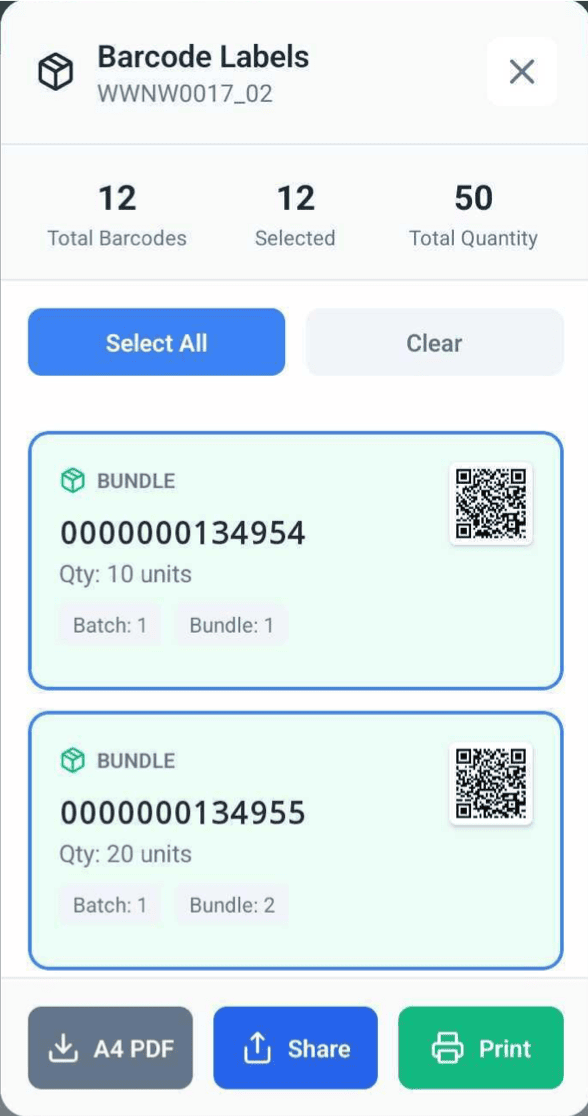
Print their labels
Actual app screens from the GRN guide. The guide uses different example records to explain the workflow.
01 / THE WAREHOUSE HANDOFF
What arrived, and where does it belong?
When fabric arrives, the receiver has to find the right document, choose the warehouse and record what was actually delivered.
The app guides them through six steps, from the source document to a receipt with bundle quantities, printable labels and attachments.
The guide shows how to create a goods received note (GRN) for fabric, using a job-work record, purchase order, raw-material purchase order or delivery challan.
FROM THE FACTORY FLOOR TO YOUR WORKFLOW
Need a better receiving workflow?
Tell us how deliveries, records and handoffs work today. We’ll discuss what could be improved.
02 / START FROM THE RIGHT RECORD
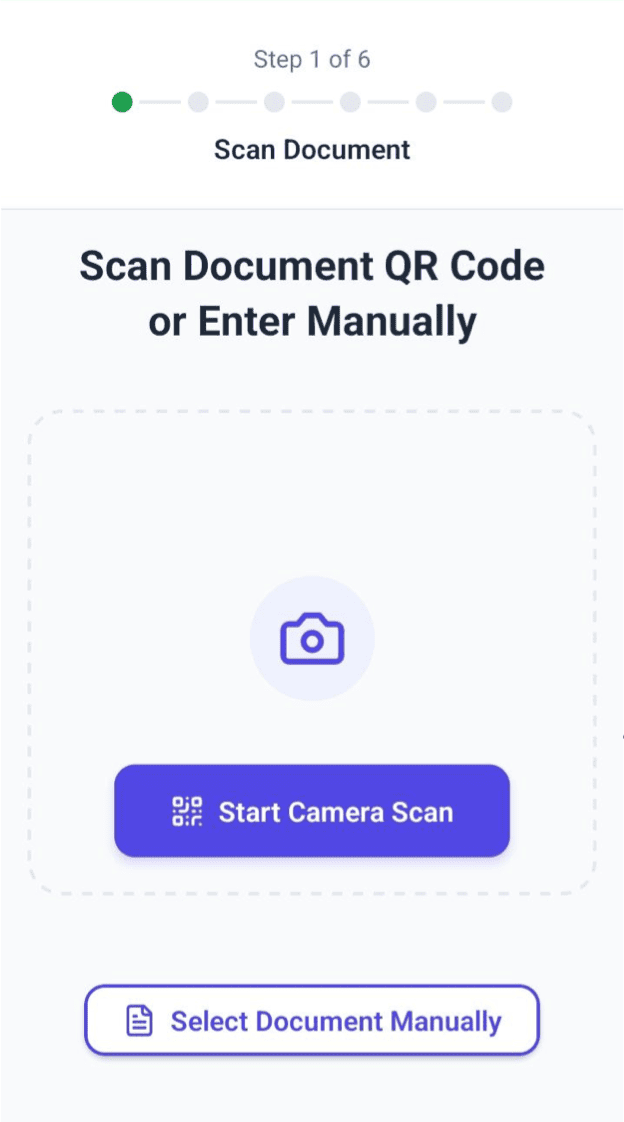
Scan or select the delivery record.
The receiver signs in with their ERP account, scans the document’s QR code or selects its type and ID, then chooses the warehouse.
A delivery challan can be the source for a goods received note, as can a job-work record or purchase order.
Delivery Challan (DC)
Job Work
Purchase Order (PO)
Raw-material Purchase Order (RMPO)
03 / COUNT THE FABRIC
Check that the bundles add up.
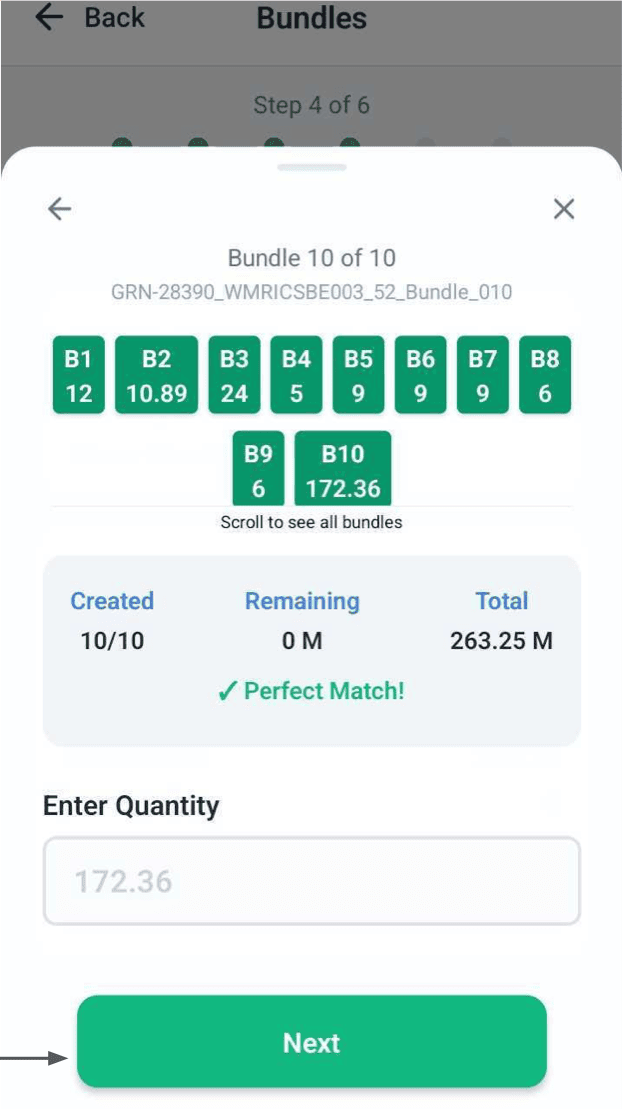
The receiver enters the total quantity, then splits it into bundles. The app shows how much has been assigned and how much remains, so they can check the totals before continuing.
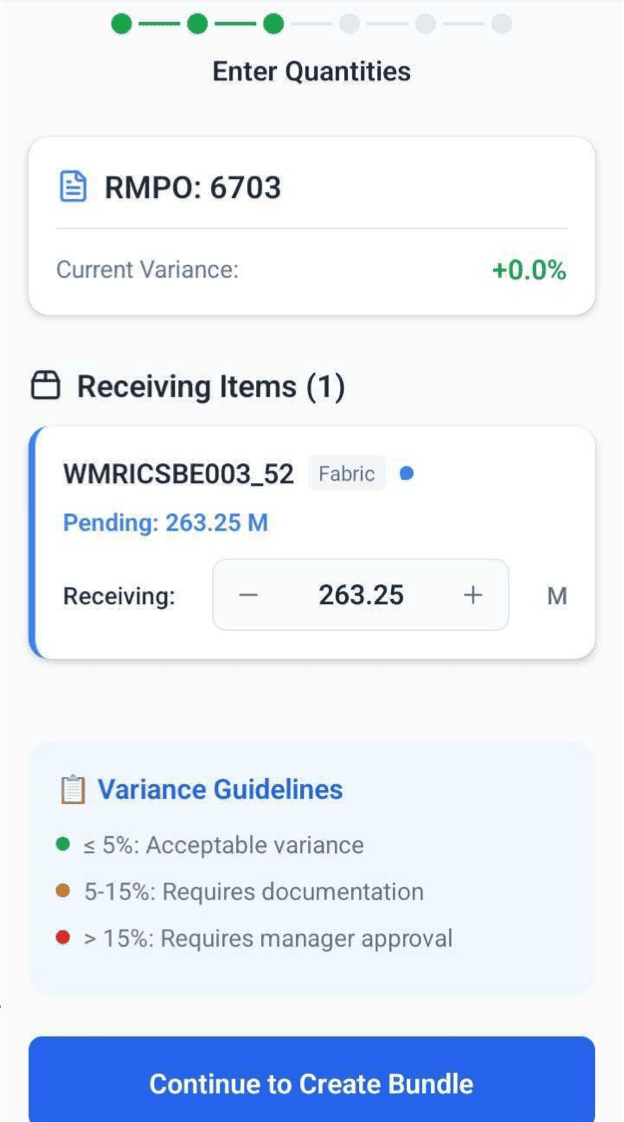
Account for the difference
The quantity step includes guidance for recording a difference in the amount received.
Check the running total
Bundle entry shows how much has been allocated and how much remains.
Fix a bundle before saving
The bundle review lets the user edit quantities or delete a bundle before creating it.
04 / LABELS AND ATTACHMENTS
Label each bundle before it moves on.
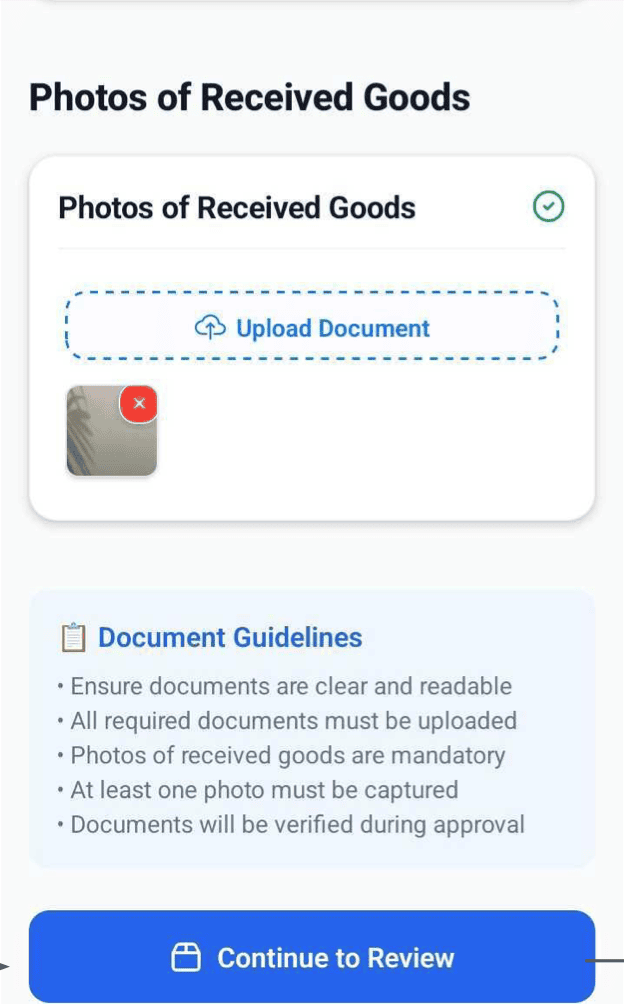
Once the bundles are created, the receiver can download, share or print their barcode labels and attach them to the fabric.
Photos and supporting documents stay with the receipt, ready to check alongside the quantities and labels.
05 / REVIEW BEFORE SUBMISSION
Check the receipt before submitting it.
The receiver reviews the quantities, bundles, challan, invoice and photos, then submits the goods received note.
The home screen has separate views for all receipts and pending approvals, so the receiver can return to a record and check its status.
All GRNs
Find and revisit receiving records.
Pending approvals
See the receipts awaiting review.
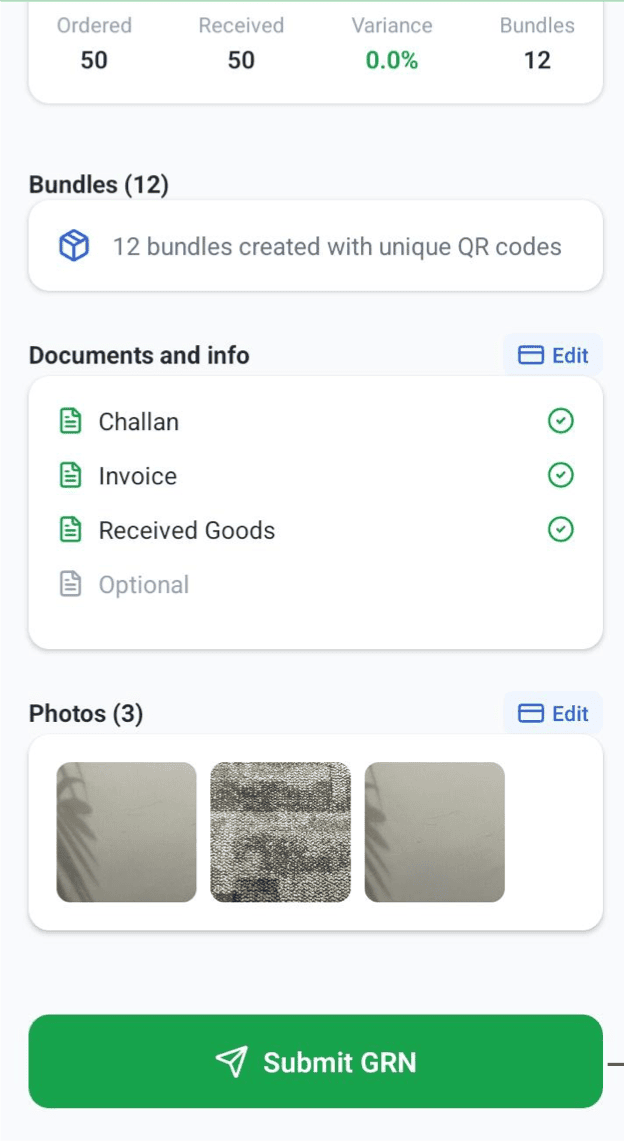
Final review screen · GRN App Guide
MY ROLE / WITH THE ZYOD TEAM
My role with the ZYOD team.
As Head of Product, Tech & Design, I led the organisation building ZYOD’s manufacturing platform. The receiving app connected the ERP to the work happening in the warehouse, from delivery records to labelled fabric.
A receipt someone else can check.
The document shows why the fabric arrived; the quantities show what was received. Labels identify the bundles, and photos and attachments help someone else check the receipt.
ZYOD portfolio ZYOD portfolioFROM THE FACTORY FLOOR TO YOUR WORKFLOW
Let’s look at your workflow.
Send a short enquiry. We’ll reply by email to discuss the scope before any work starts.